A Site Seal is a small but important image that you can add to your website to demonstrate that it is secured with an SSL certificate.
Displaying a Site Seal helps build trust with visitors by showing them that their data is protected through secure encryption.
Once your SSL certificate is issued, you can easily access the JavaScript code for your Site Seal through your account dashboard. This code enables you to display the Site Seal image on your website.
How to Retrieve Your Site Seal
To access the FastSSL Site Seal, you must be logged into your user account and follow these steps:
1. Log in to your account on CheapSSLSecurity.com
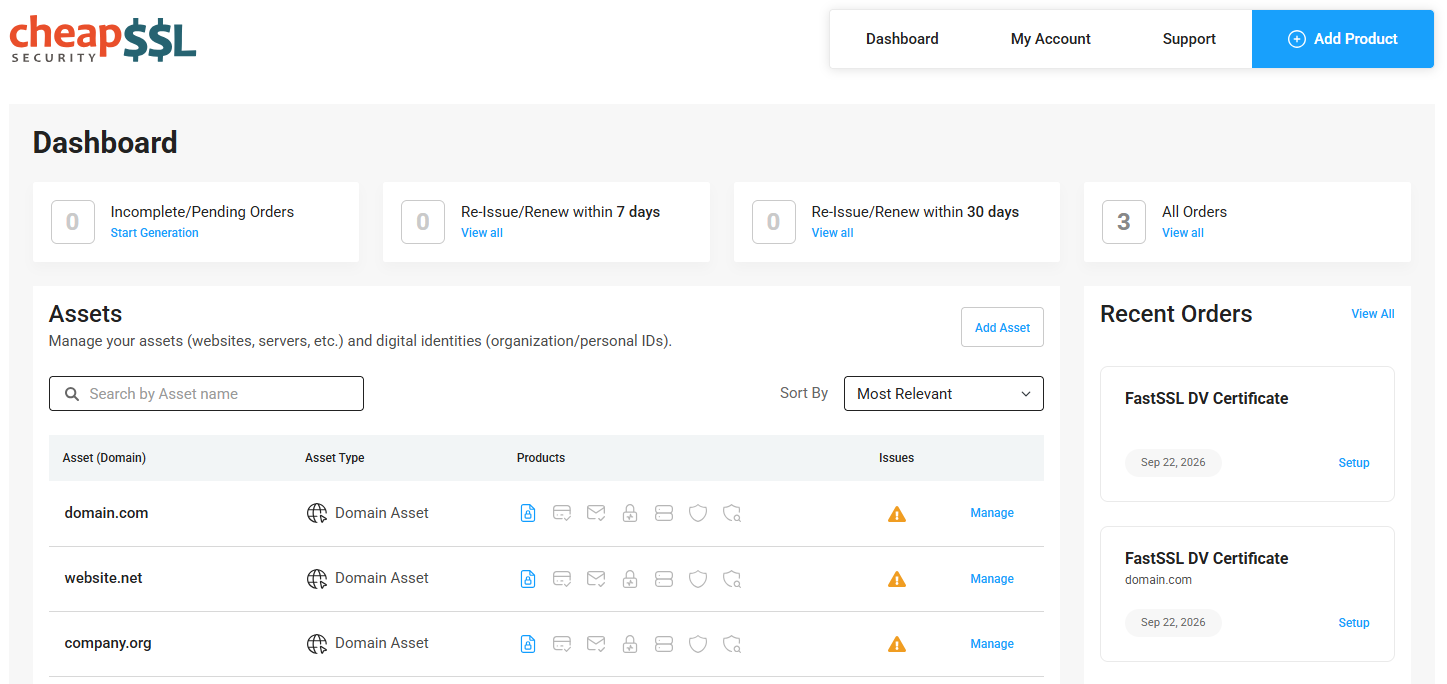
Login to your CheapSSLSecurity account to access your orders. If you're already logged in but not on your order dashboard, click My Dashboard on the top right of the homepage.
2. Find the order that you want to re-issue
Use your Asset menu to locate your order. If you have many assets, you can search for the domain name to narrow it down. When you find the domain name, click on it to view all certificates for that domain.
If you ordered the certificate recently, you can also use the Recent Orders menu to find it.
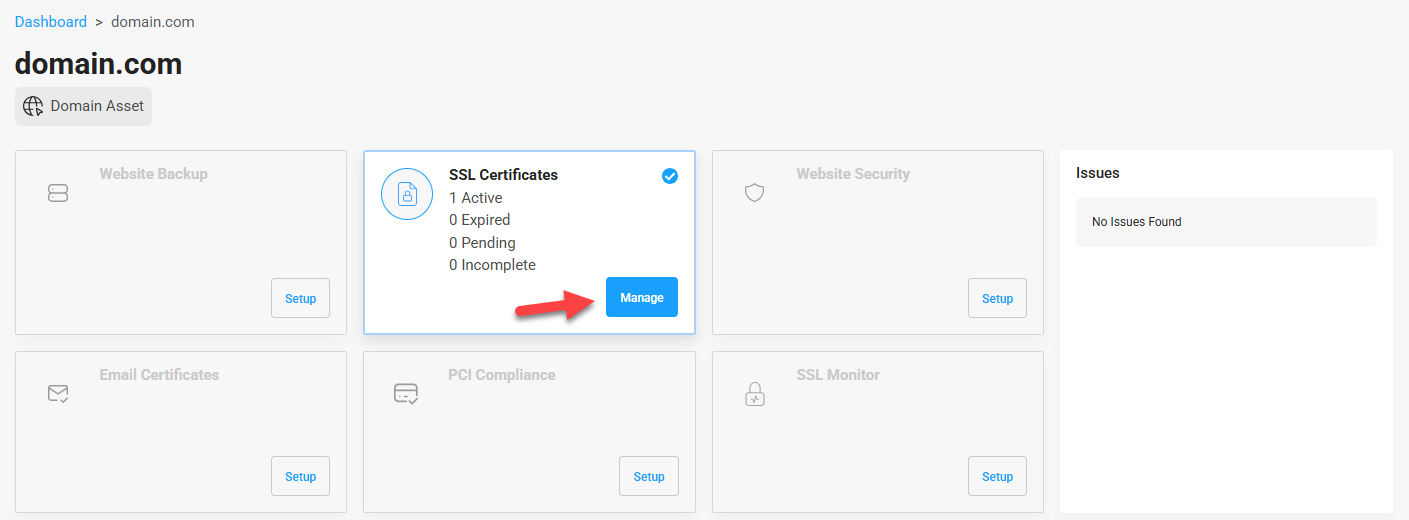
3. Find Certificate on Asset page
On the Assets page, click the Manage button in the SSL Certificates window to jump to your list of certificates using this domain.
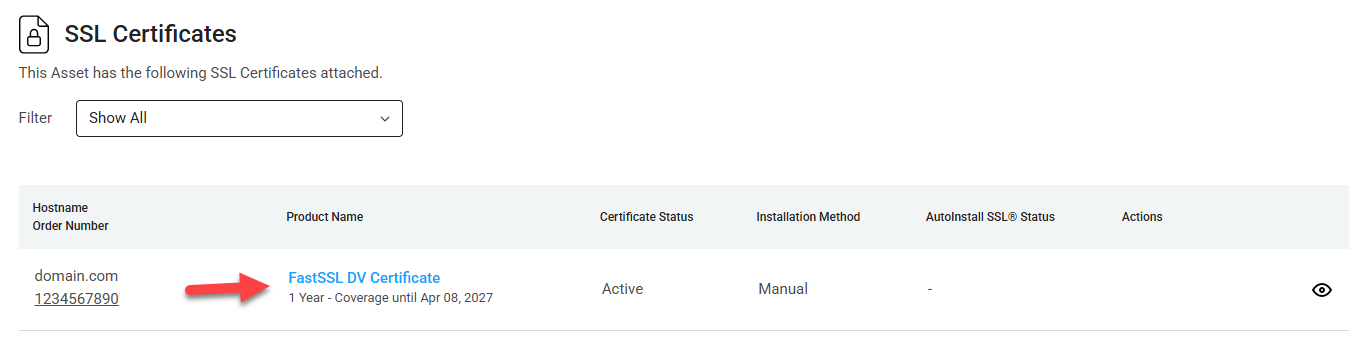
Then, on the Certificates list, click anywhere in the item to go to the certificate details page.
4. Manage Order - Click Site Seal
On the Manage Order page, click the Site Seal button.
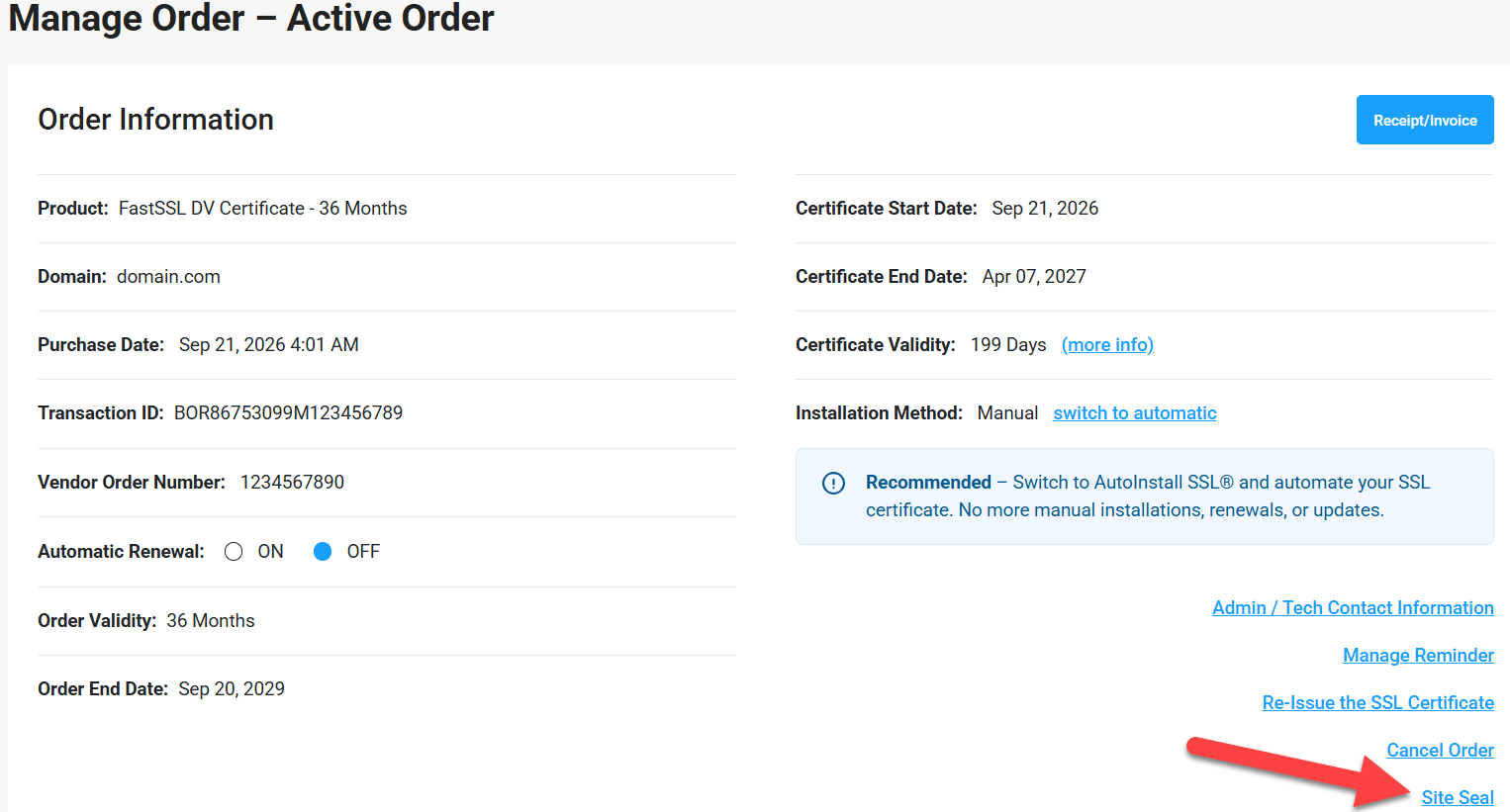
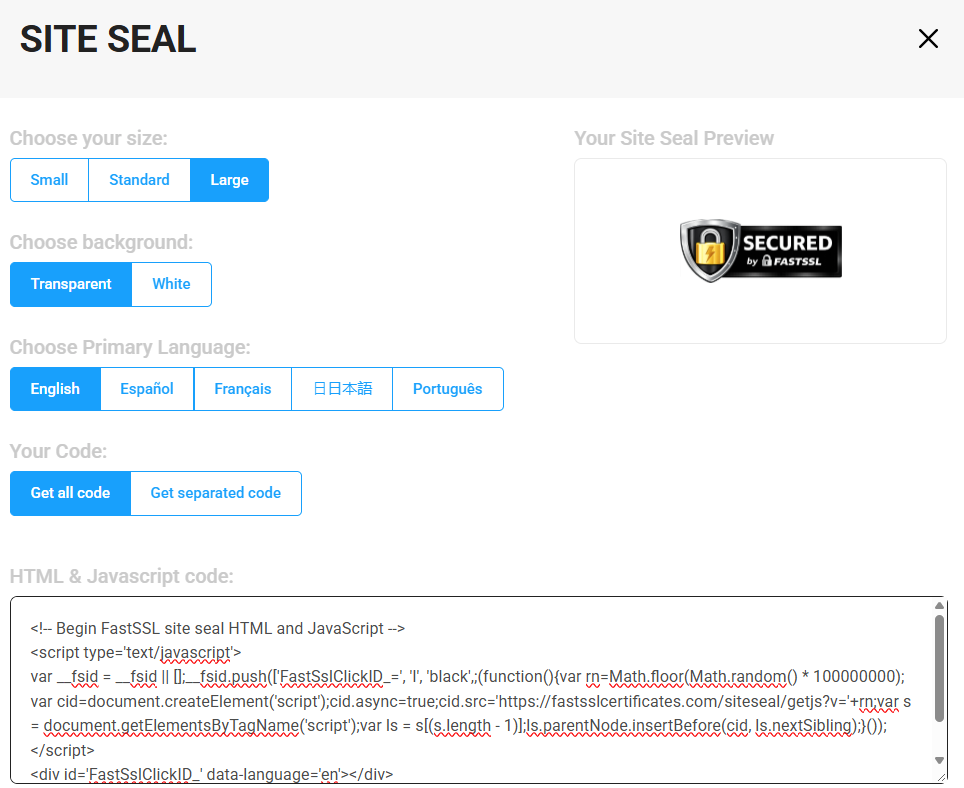
Clicking on this button will show you options to customize your Site Seal. Just select the options you prefer, including the site seal image size, background transparency, language, and code style. It's all up to you based on what works best on your website.
How to Install Your Site Seal
Now it’s time to add the code to your website.
Your Site Seal consists of two parts: an HTML code and a JavaScript code. You can either place both codes in the same location or separate them. Before implementing the Site Seal, make sure you are familiar with your site’s code.
Option 1: Place Both Codes in One Location
Copy the full Site Seal code provided on your order details page and paste it into your HTML document where you want the Site Seal to appear. This option is quick and straightforward, as both the HTML and JavaScript are placed together.
Option 2: Place HTML Code and JavaScript Code in Separate Locations
- Copy the JavaScript code and paste it into the <head> section of your HTML document, ideally beneath any other existing JavaScript tags.
- Copy the HTML code and paste it into your HTML document where you want the Site Seal to be displayed on the page.