CheapSSLSecurity sends email notifications whenever it's time to renew or re-issue a certificate.
You can add more email contacts to your renewal/re-issue notification settings. Or you can opt-in to automatic renewal for SSL and turn off email notifications if you want to take your hands off the wheel.
Here's how to manage all of your renewal and re-issue notification preferences on CertPanel.
1. Login and go to CertPanel dashboard.
If you're not already there, login to go to CertPanel, or click the My Dashboard button to get there.
2. Click My Account, then Renewal & Notification Settings.
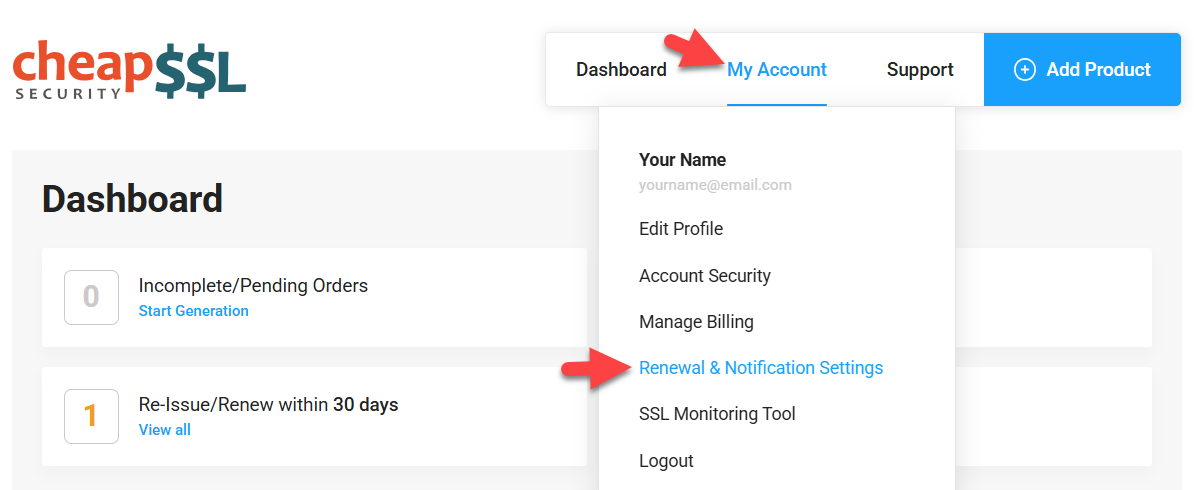
Renewal and Notification Settings
There are several notification settings you can manage here.
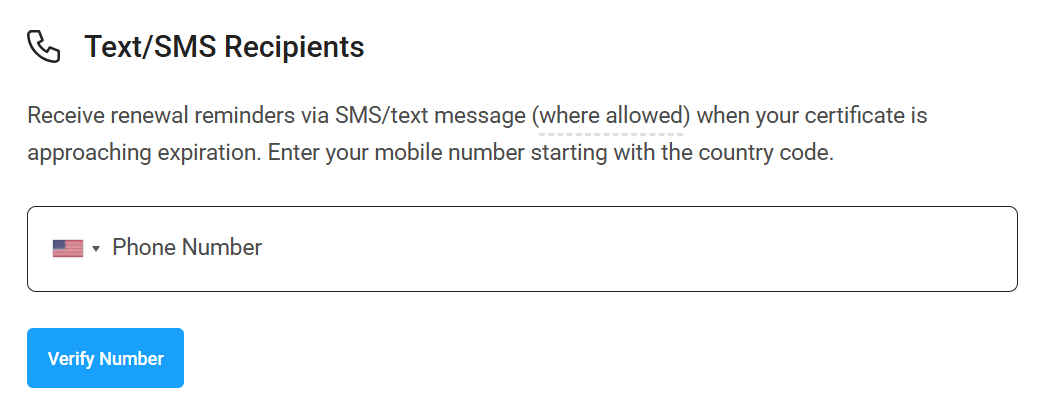
Text/SMS Recipients
Provide and verify a phone number to receive text/SMS reminders for renewals and re-issue reminders.
Note: SMS reminders are sent only to supported countries. While your selected country code is accepted, delivery isn’t guaranteed and may change over time due to carrier or industry requirements. Please use SMS as a backup to email notifications.
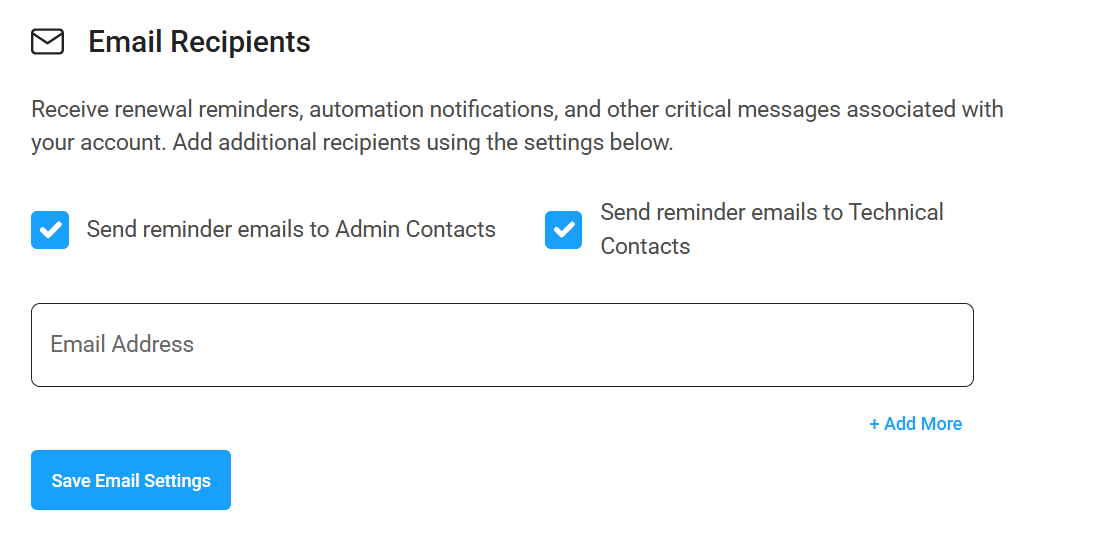
Email Recipients
You can enable or disable email notifications to individual admin/technical contacts for each certificate. This option may be useful if you want the certificate contact to receive renewal and re-issue reminder emails.
Alternatively, you can add extra email addresses in the fields below. Click the Add More button to add more than one, and make sure to Save Email Settings.
If there are any addresses listed you want to stop sending emails to, just click the remove button.
Manage Order Notifications and Auto-Renewal
Here is where you can opt-in to automatic renewal for SSL, or turn off email reminders for certificates you don't plan to update.
To turn off Email Notifications for certificates, click the toggle to turn it off.]
To opt-in to automatic renewal for SSL, click the Auto-Renew toggle. With AutoRenew enabled, our system will automatically purchase and generate a new SSL certificate using the previous request whenever it's time to renew it. You must have an active and valid credit card saved to your account to use AutoRenew.
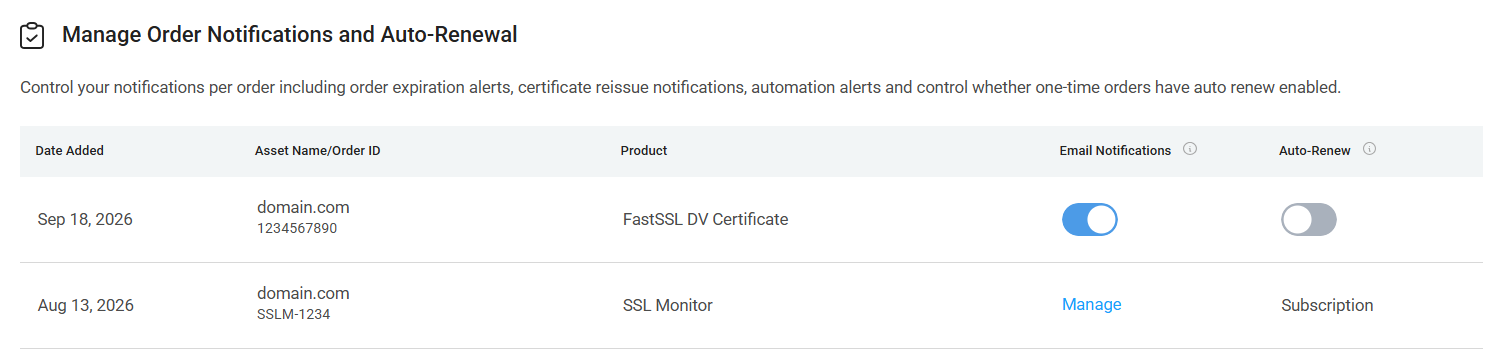
If you have any SSL Monitor subscriptions, click Manage to add more email addresses to receive scan reports.